Product: ProfileUnity
Product Version: 6.5.x and newer
Expires on: 365 days from publish date
Updated: December 18, 2019
Problem:
A ProfileUnity icon is displayed in Window's notification/system tray when an application is elevated or restricted.
Symptoms:
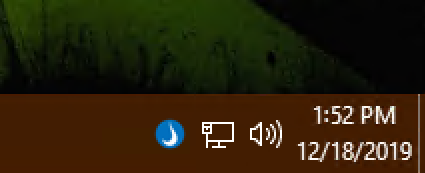
When an application is launched that is defined in either the configuration's "Privilege Elevation" or "Application Restrictions" modules, a ProfileUnity icon is briefly displayed in the system/notification tray and reports either elevation or restriction has occurred. An example screenshot is shown below.
Possible Resolution(s):
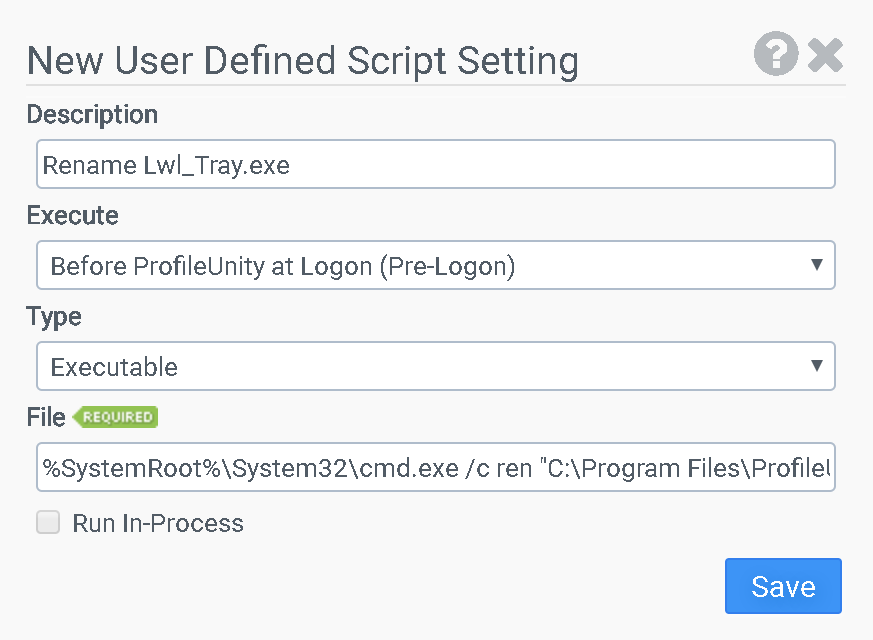
Create a "User Defined Script" in the configuration that renames the ProfileUnity 'Lwl_Tray.exe' executable as outlined below and shown in the screenshot.
Execute: Before ProfileUnity at Logon (Pre-Logon)
Type: Executable
File: %SystemRoot%\System32\cmd.exe /c ren "C:\Program Files\ProfileUnity\FlexApp\Lwl_Tray.exe" "Lwl_Tray.exe.bak"