
Problem:
Users can not save their custom words in a Word 2013 dictionary.
Symptoms:
This problem was observed after moving App Data from UNC redirected folders to a VHD disk or a Mapped Drive in a non-persistent environment)
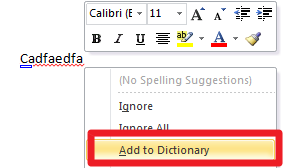
The end users can not add any new words to the dictionary, and that option is also grayed out.
Resolution:
When files migrate form one folder to another the folder in a target location is missing files that are required to run Word's dictionary.
However, this dictionary can be recreated by removing a registry key at logon.
When Microsoft Word opens, the keys get recreated. From that point on it is possible to add new words to the dictionary
As a workaround, please create the following App Launcher rule.
Filter: (your choice)
Filespec: %systemroot%\system32\cmd.exe
Arguments: /c REG DELETE "HKEY_CURRENT_USER\Software\Microsoft\Shared Tools\Proofing Tools\1.0\Custom Dictionaries" /f > c:\windows\test2.txt
Timing: After Configuration Execution
Hide Progress: True
Run Async: False
Schedule: Everyday
Frequency One Time (User)
UID RunOnceDictonaries
Tracking Path: (Enter the user profile's path)
NOTE: in the script Arguments (see above) there is an optional entry that only confirms that the script ran c:\windows\test2.txt
NOTE: This article can be used to delete any key of your choice only once at logon.
Product: ProfileUnity
Product Version: All