
Problem:
Shortcuts do not work when targeting local drive (other then a C drive). The location of the target is incorrect.
Symptoms:
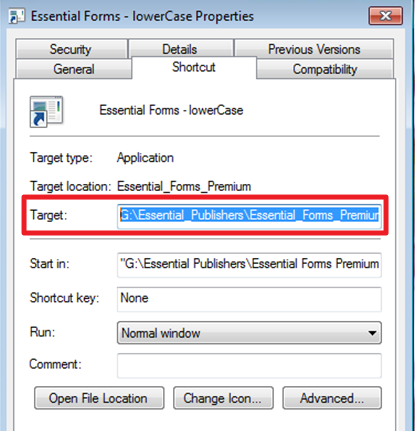
The shortcuts do not work. Underscores replace spaces in the target path as shown below.
(see shortcut properties after logging into a desktop to verify the problem)
Possible Resolution(s)
A workaround is to use a UNC path ( a network location path) instead of the local mapped drive (if possible)
For example,
If a G drive is a mapped drive pointing to
\\server\share
In order to workaround the problem it is possible to use the full UNC path.
\\server\share\folder\softwareName.exe
Product: ProfileUnity
Product Version: All